










Mass Notification System for Emergency Alerts and Critical Communication

Send organization-wide emergency alerts through SMS, email, and automated voice calls from one centralized dashboard. The Silent Beacon Mass Alert Portal helps businesses, schools, healthcare organizations, and public sector teams communicate during critical events.

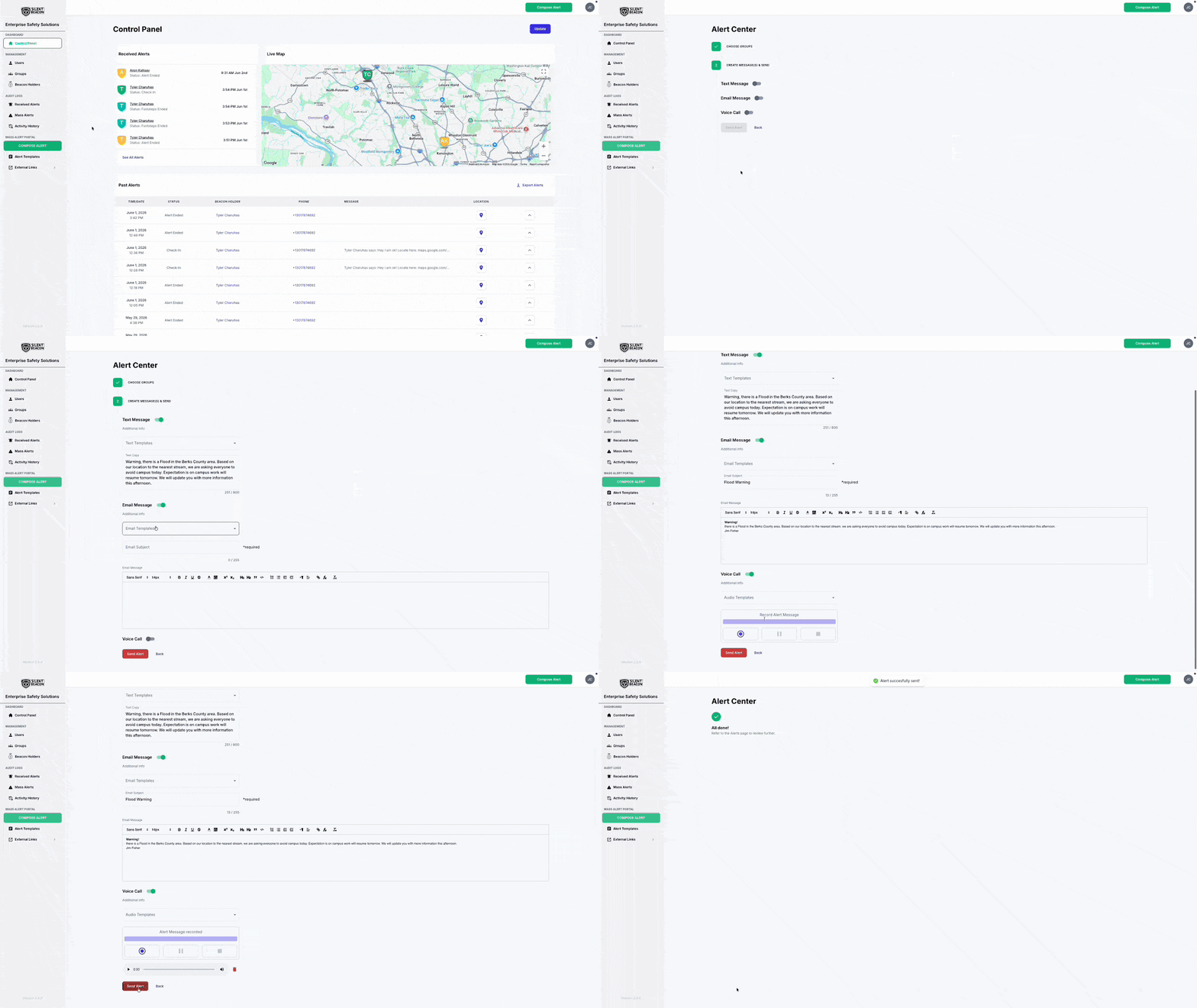
Mass Alert Portal dashboard displaying live alert monitoring, user locations on an interactive map, received alerts, activity history, and emergency communication management tools.
Trusted by 140,00+ Users Across Organizations Nationwide

What Is a Mass Notification System?

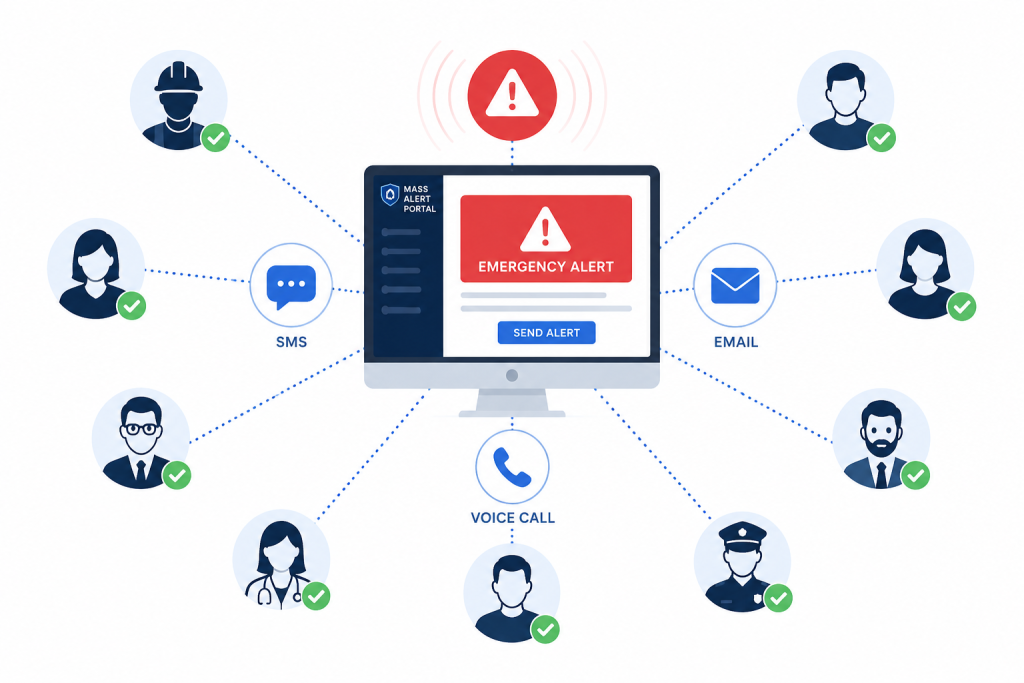
A mass notification system helps organizations quickly distribute emergency alerts and critical communications to employees, staff, and response teams through SMS text messages, email, and automated voice calls. The Silent Beacon Mass Alert Portal allows administrators to send organization-wide notifications from one centralized dashboard during critical events and operational emergencies.

Mass alert notification system dashboard sending emergency alerts through SMS, email, and voice calls to multiple recipients including healthcare workers, security personnel, and staff.

Emergency Communication Challenges for Organizations

Delayed Emergency Communication

Manual emergency notification workflows slow response times during critical incidents.

Fragmented Communication Channels

Manual emergency notification workflows slow response times during critical incidents.

Lack of Notification Tracking

Without centralized notification records and audit logs, organizations lack visibility into emergency communication activity.

Send Emergency Alerts Across Every Channel

SMS Alerts

Send urgent text alerts directly to employee mobile devices during emergencies and operational disruptions.

Email Notifications

Distribute detailed emergency communication and organization-wide updates through email alerts.

Automated Voice Calls

Send pre-recorded emergency voice messages directly to employee phones during high-priority incidents.

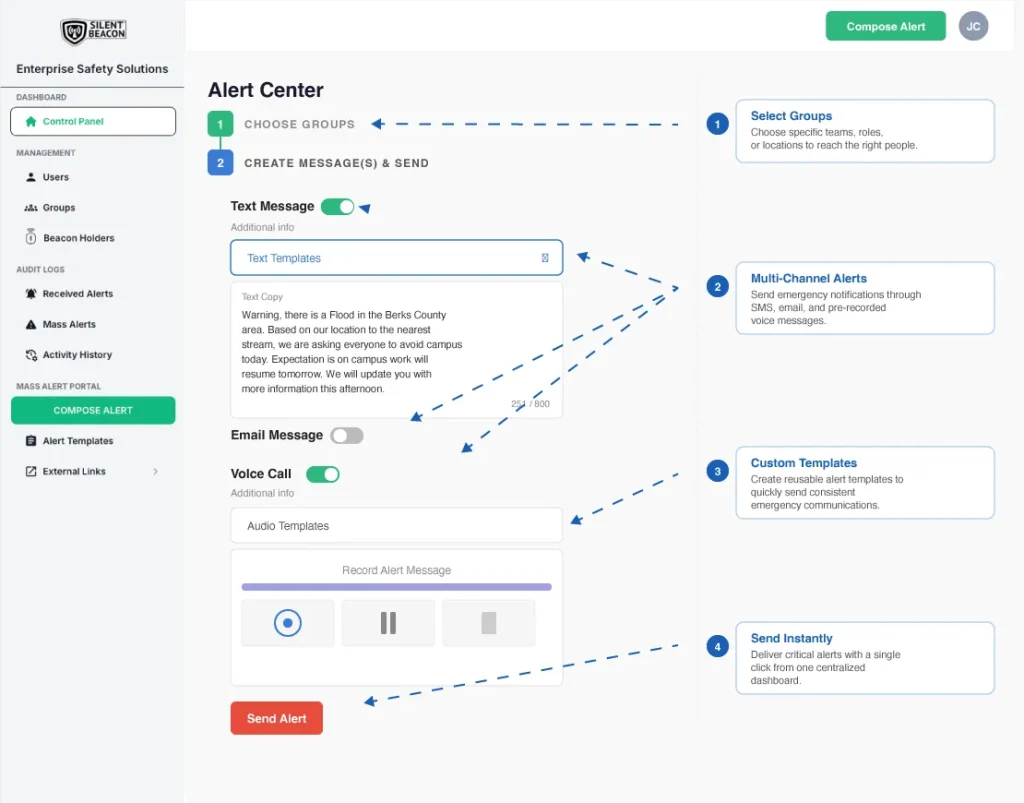
Mass Alert Center dashboard showing recipient group selection, multi-channel alert delivery, custom templates, and one-click emergency notification distribution.

Organize and Send Emergency Notifications Faster

Target Specific Teams, Departments, and Locations

Create custom recipient groups ahead of time based on departments, campuses, buildings, shifts, response teams, or operational roles. Send alerts only to impacted personnel to reduce confusion and improve coordination during emergencies.

Department-Based Alerts

Send alerts to specific departments or functional teams.

Location Targeting

Target alerts by campus, building, floor, or specific site.

Temporary Emergancy Groups

Quickly create ad hoc groups for unique or evolving situations.

Multi-site Communication

Coordinate alerts across multiple locations with ease.

Organization-wide Alerts

Reach all personnel across the organization when needed.

Pre-Built Emergency Notification Templates

Create reusable templates for severe weather alerts, evacuations, lockdowns, IT outages, active threats, all-clear notifications and other messaging to speed up emergency communication workflows.

Simple dropdown menu interface with the text "Choose your template" displayed inside a clean rectangular selection field with a downward arrow icon on a white background.

Example Groups

How the Mass Notification System Works

Number One in a circle

Choose Recipient Groups

Select departments, campuses, buildings, shifts, response teams, or organization-wide groups before sending alerts.

Numerical 2 in circle icon

Select Templates and Delivery Channels

Choose saved emergency notification templates and send alerts through SMS, email, and pre-recorded voice messaging.

Numerical 3 in circle icon

Send Alerts Instantly

Distribute emergency notifications across every selected communication channel with a single click.

Numerical 4 in circle icon

Track Notification Activity

Monitor notification history, timestamps, and audit logs from one centralized dashboard.
Notification Tracking and Audit Logs

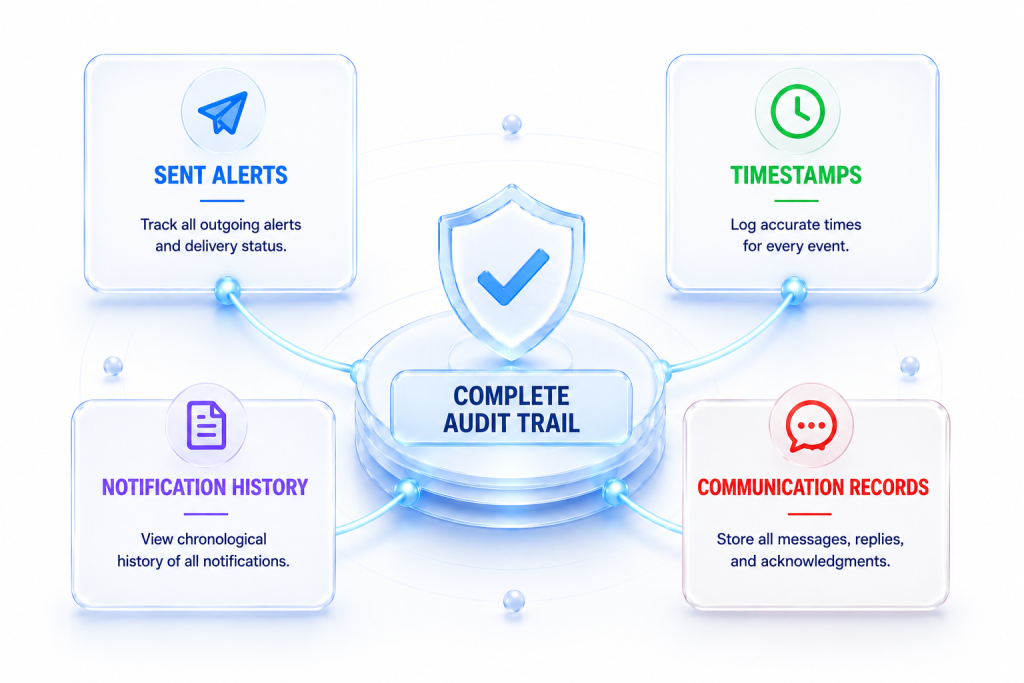
Track emergency notification activity through centralized audit logs and communication history. Monitor sent alerts, timestamps, and notification records to improve operational visibility during critical events.

Emergency notification tracking dashboard showing sent alerts, timestamps, notification history, and communication records connected through a centralized monitoring system.

Frequently Asked Questions

What is a mass notification system?

A mass notification system is a communication platform used to quickly send emergency alerts and critical updates to large groups of people through SMS, email, and automated voice calls.

How do emergency mass notifications work?

Administrators can create alerts, select recipient groups, and instantly distribute notifications across multiple communication channels from one centralized dashboard.

What communication channels does the Silent Beacon Mass Alert Portal support?
The Silent Beacon Mass Alert Portal supports:
  • SMS text messaging
  • Email alerts
  • Automated pre-recorded voice calls
Can organizations create custom recipient groups?

Yes. Organizations can create custom groups based on departments, locations, schedules, response teams, or operational roles.

Can we create emergency message templates?

Yes. Teams can build reusable templates for severe weather alerts, evacuations, lockdowns, IT outages, and all-clear notifications.

Does the platform include notification tracking?
Yes. The platform includes notification tracking, timestamps, communication records, and centralized audit logs for emergency alert activity.

Improve Emergency Response Across Your Organization

Coordinate emergency notifications through SMS, email, and pre-recorded voice messaging from one centralized dashboard.