The next generation business panic button system has arrived.
Trusted by leading healthcare, education, and government organizations.
Enterprise Teams | Business Owners | Lone Workers
The Business Panic Button System that
Calls 911. Sends Mass Notifications. Shares Emergency Locations. Alerts Security Personnel. Keeps Your Team Informed. Offers 24/7 Monitoring. Logs Events for Compliance.
Whether in offices, hospitals, schools, or the field, our panic buttons give employees a fast, reliable way to get help. With real-time alerts, location tracking, and communication tools, teams can respond immediately to medical emergencies, security incidents, or workplace threats.

-
Place Emergency Phone Calls to 911
Our wearable panic button allows you to call any number, even 911, and talk directly through the device, giving you immediate two-way communication when every second matters.
-
Send Emergency Alert Messages
Send a customized text alert with a real-time GPS location, giving responders your exact position instantly during an emergency.
-
Alert Your Whole Team at Once
One press notifies supervisors, coworkers and security at the same moment. With our patented two-way alerting, nearby Beacons vibrate and flash, even when phones are on silent.
Silent Beacon’s Panic Button Systems for Offices and Businesses Featured on NBC News
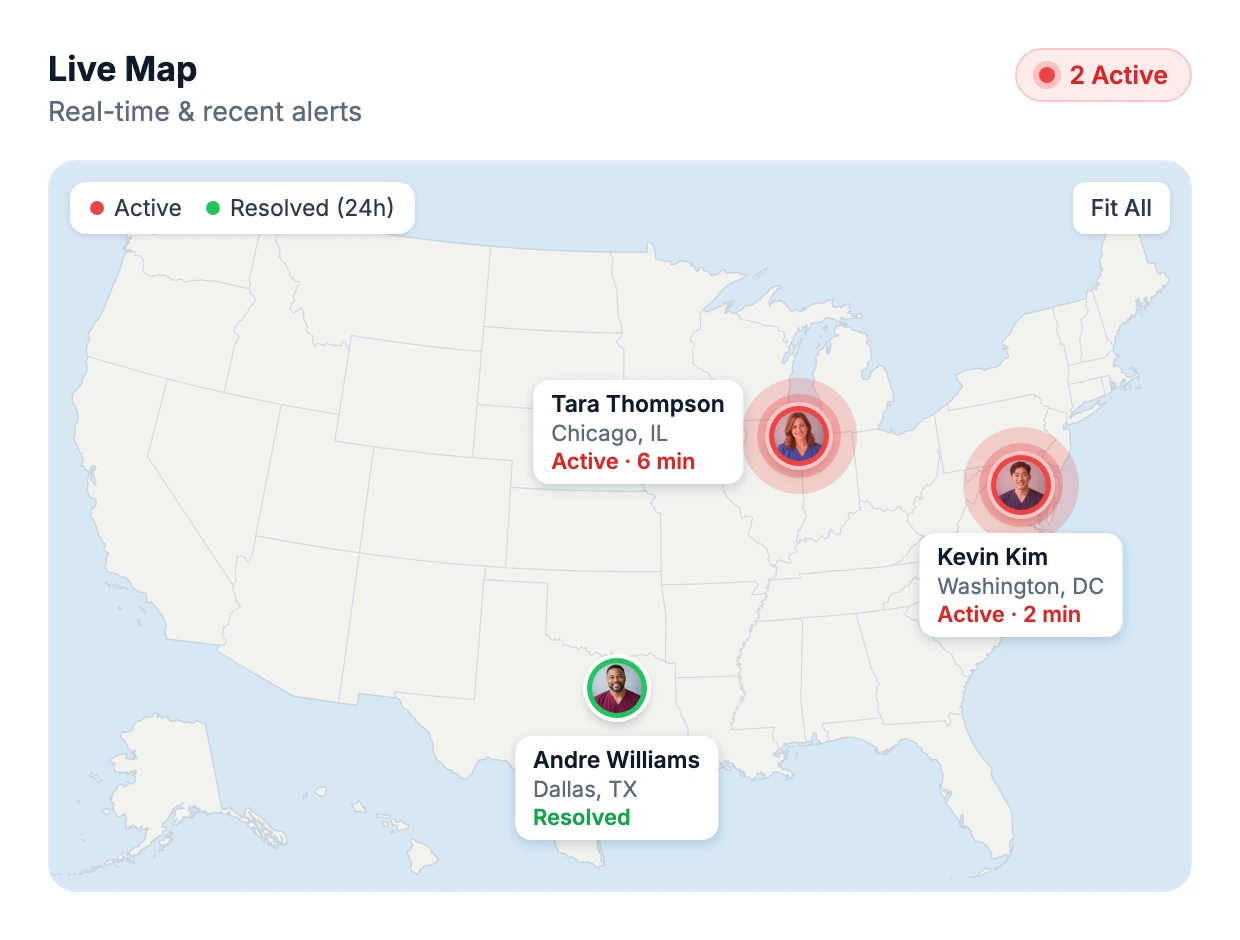
Our panic buttons for offices are part of a complete business panic button system designed to protect employees and improve workplace safety. With wearable devices, a mobile app, and a centralized dashboard, businesses can monitor alerts, manage teams, and respond quickly to emergencies in real time.
Workplace Panic Button Systems for Real-World Emergencies
Silent Beacon’s wearable panic buttons help employees respond to medical emergencies, security incidents, and workplace threats. With instant alerts, GPS location tracking, and two-way communication, our business panic button system connects employees to help while keeping supervisors and response teams informed through our mobile app and centralized dashboard.
What sets our panic button system apart
Calls 911 directly
One press on the wearable panic button calls 911 or your emergency number and alerts your team at the same time. Most business panic buttons do one or the other.
Silent Mode
The call stays connected and location keeps sharing, but the panic button makes no sound, so nobody in the office knows you called for help.
Strict on privacy
Location is shared only while an alert is active or the employee turns on Footsteps. The rest of the time, no employee is tracked.
SOC 2 Type II compliant
Our business panic button system runs on independently audited security controls, encrypted infrastructure and continuous monitoring.
No drilling, no wiring
No wall units, wiring or network changes. Pair each office panic button to the app and go live in about two weeks.
Patented Beacon to Beacon
Coworkers’ panic buttons vibrate, light up and sound in seconds. Two U.S. patents. No other workplace panic button has it.
42 day battery
Rechargeable over USB-C with low battery alerts in the app, so every workplace panic button is ready when it counts.
Personal contacts
Each employee picks the people they trust. One press reaches a supervisor, coworker or family member directly, not just a call center.
Hands free speakerphone
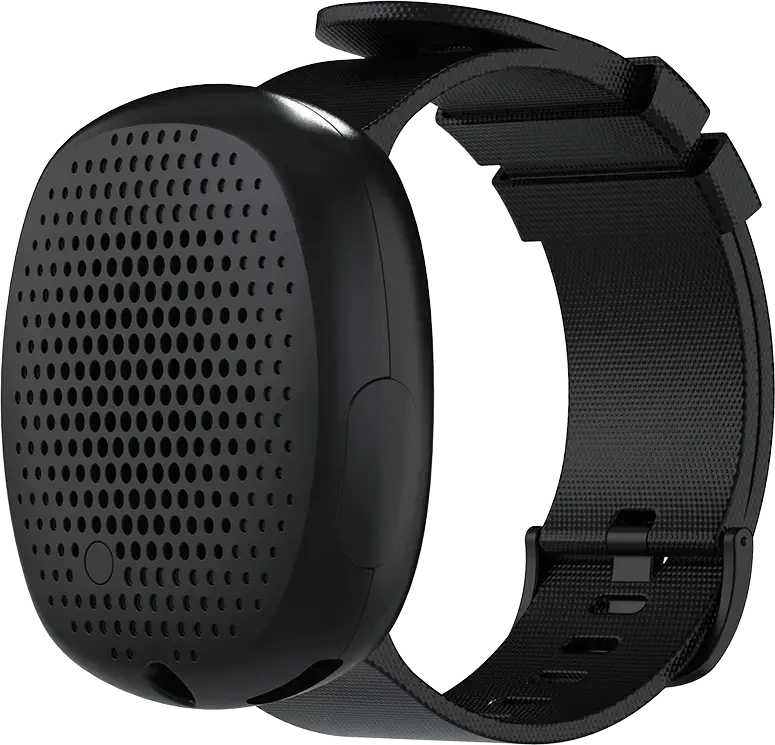
A speaker and microphone built into the wearable panic button, so the employee talks to 911 dispatch without reaching for a phone.

“For the cost-benefit of Silent Beacon, it’s a no-brainer.”
Steve, CTO, New York Public Radio
What Sets Our Panic Button System for Businesses Apart
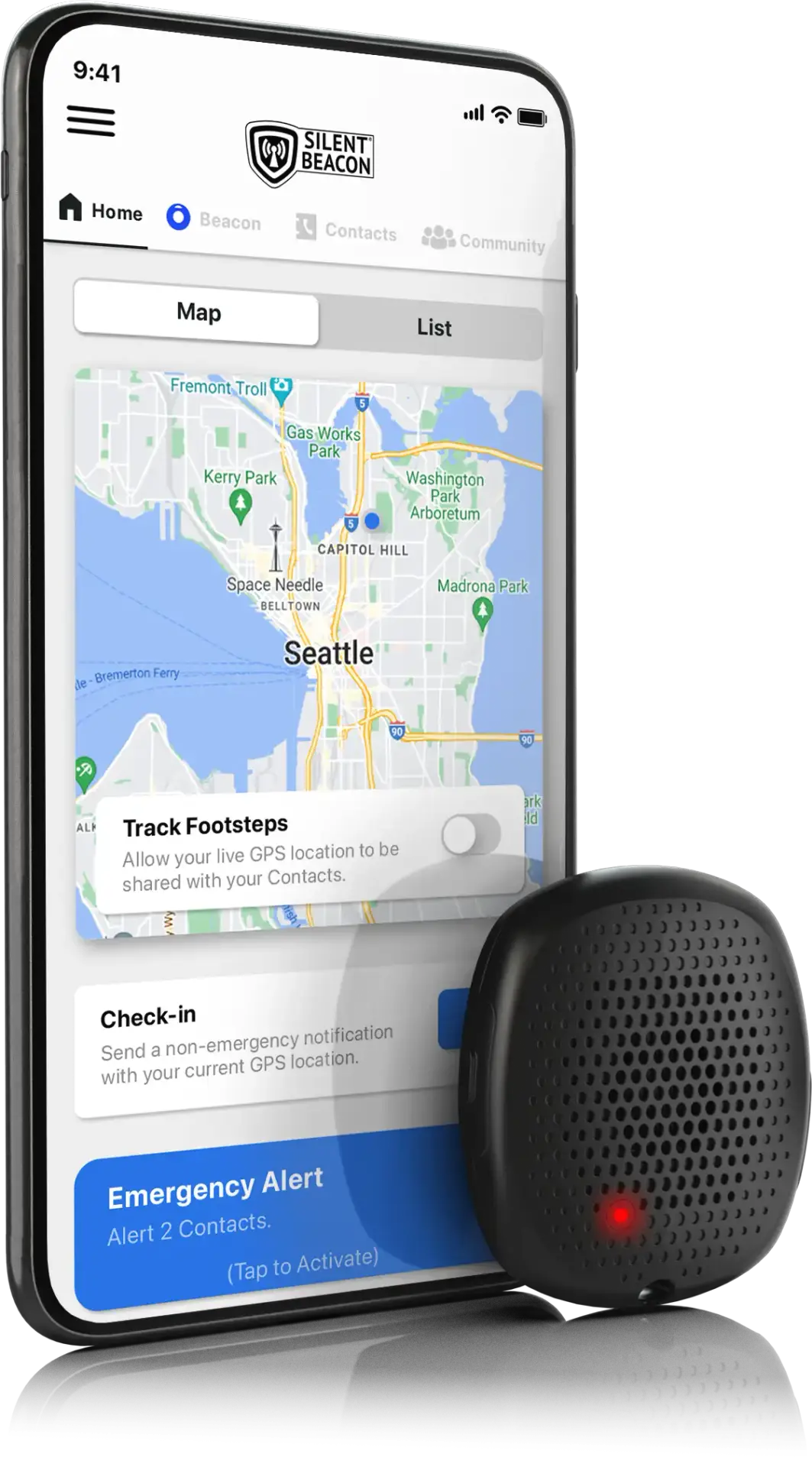
The patented Silent Beacon connects via Bluetooth to our safety app, transforming your smartphone into a powerful emergency response tool. With one press, employees can call any number, including 911, communicate through a hands-free speakerphone, and share their GPS location with designated contacts.
Organizations choose Silent Beacon because our solution goes beyond traditional panic buttons for offices, delivering a complete business panic button system with real-time alerts, GPS tracking, and dependable connectivity. Discover why Silent Beacon is a trusted solution for workplace safety, employee protection, and emergency response technology.
Extended Battery Life
Fully rechargeable, lasting over 40 days on a single charge, and can notify you when your battery level is low. This makes Silent Beacon’s emergency panic button for businesses a long-lasting and durable safety solution.
Hands Free Speakerphone
With a quality speaker and a sensitive microphone, you can manage your emergency without worrying about holding a phone or bulky device. This hands-free feature allows you to communicate easily through the emergency button while staying focused on your situation.
Strict On Privacy
Modern mobile safety technology is continuously advancing and privacy is becoming more important. In addition to being SOC 2 compliant, your location is only accessible when you press the alert button. All location data remains private and is not stored by Silent Beacon.
“Having the Silent Beacon provides an added layer of security and expedited communication in the event of an incident and increases ease of communication no matter where they are.”

5 Discreet Panic Button Alert Modes
Emergency Alert
Hold 3 secondsThe Beacon places a call to 911 or our 24/7 professional monitoring service while sending alert notifications to the employee’s emergency contacts.
Beacon-to-Beacon
AutomaticSends and receives audio and visual confirmations between an employee’s Beacon and any Beacon on their emergency contact list, using our patented technology.
Silent Mode
Press once during an alertSilences the Beacon during an alert so no one nearby knows help was called. Employees can turn it on from the app or the Beacon.
Footsteps
Hold 3 secondsShares an employee’s live location with their team so it can be monitored. With Footsteps Pro, our 24/7 Professional Monitoring Center stays on the phone until the alert ends.
Check-In
Press 3 timesSends a custom message with the employee’s current location. Useful for non-emergencies, or to confirm they arrived at or left a location safely.
As Featured in:


Panic Button Systems for Offices and Businesses
Our panic buttons for offices are part of a complete business panic button system designed to protect employees and improve workplace safety. With wearable devices, a mobile app, and a centralized dashboard, businesses can monitor alerts, manage teams, and respond quickly to emergencies in real time.
Are you a company looking for more information on panic buttons for your employees?
Learn more about our enterprise safety solutions:
Silent Beacon Safety Apps
Silent Beacon’s safety applications have been trusted by over 136,000 users including healthcare professionals, lone workers, and mental health support teams, to stay prepared for emergencies and keep the people they care about safe. Designed for those who prioritize security and rapid response, the app combines powerful protection features with simple, user-friendly functionality.
Consumer Safety App ★ ★★ ★★★ ★★★★ ★★★★☆


Download our free Silent Beacon safety app today to ensure that you can alert your loved ones in case of any unexpected situations or emergencies. Our consumer safety application is best for individuals who need a 911 panic button, perfect for those who live or work alone that wish to notify family during an emergency.
Business Safety App ★ ★★ ★★★ ★★★★ ★★★★★
Purchase our comprehensive Enterprise Safety Solutions platform today to unlock access to the advanced business application and all of its robust features designed to enhance your workplace safety and efficiency. Our business safety application is best for non-profits, healthcare organizations, office-based workforces, and any business looking to enhance employee safety or meet safety compliance standards. Connects to our wearable panic buttons, online dashboard and mass alert system.

Apple and Android Apps
We offer our panic button apps in both the Google Play Store and Apple’s App Store.
See How Panic Buttons for Offices Help Your Team Respond Faster


I am beyond delighted in the product. You can clip the item to clothing or you can wear it on the band like a watch. Thank you, Silent Beacon, for helping me believe in the product and the service that you provide.
Meet With Our Team Today.
Tell us about your organization and we’ll tailor a panic button solution that fits how your team works.

Frequently Asked Questions
Can I use the safety app without the Silent Beacon panic button?
Yes, you can use the same alert features in our free Silent Beacon safety app. The main difference is that in an emergency, you might not be able to reach your phone, which makes a wearable panic button a great option. Use our safety articles to learn more about how panic buttons work.
Can I use the Silent Beacon panic button and safety app outside North America?
Yes. The Silent Beacon safety app can be downloaded and used with your panic button in the supported countries below:
Supported Countries
| Region | Countries |
|---|---|
| Australia & New Zealand | Australia, New Zealand |
| North America | United States, Canada |
| Europe | Austria, Belgium, Denmark, Estonia, Finland, France, Germany, Greece, Hungary, Iceland, Ireland, Italy, Netherlands, Norway, Poland, Switzerland, United Kingdom |
- When you register the safety app, you’ll register with a phone number (including its country code).
- You can add another phone number for free, without a subscription, as long as it has the same country code as the phone number you registered with.
- If you want to add a phone number with a different country code, you’ll need an International subscription.
If you register with a UK phone number (+44), you can add another UK phone number (+44) for free, without a subscription. Adding a US phone number (+1) would require an International subscription.
The Silent Beacon safety app is not available in countries outside this list.
If you are interested in using the Silent Beacon 2.0 for business use and are located outside the supported countries listed above, please contact our Sales team to discuss available options.
Can I use your consumer safety app for my business?
The consumer safety app is designed to help individuals alert and locate their loved ones. It does not include an online dashboard for corporate insights, reporting, or compliance monitoring. For workplaces, our business panic button system pairs the Silent Beacon for Business safety app with office panic buttons and the Control Center dashboard.
Why is my Silent Beacon panic button glowing or blinking red?
When the Silent Beacon shows a solid red color, it means your Beacon is making a phone call. Use the Beacon to communicate with the person you have called. If it is blinking red, the emergency call has ended, but you are still in Emergency Mode. Open the main menu of the safety app and tap the button labeled “Emergency Alert Activated” to turn it off.
How do I reset my Silent Beacon panic button?
For the 1.0, hold both buttons for 30 seconds; the LEDs will cycle through the colors and then shut off.
For the all-new 2.0 panic button, hold both buttons for 15 seconds.
For both the 1.0 and 2.0, you will know you are pressing the buttons correctly when you see it blink white before the colors cycle.
How do I stay up to date with the latest safety trends?
You can stay up-to-date with our various safety articles!
Looking for safety tips? View our safety tips article archive.
See how Silent Beacon fits into modern panic button history with its advanced features and capabilities.
Go in-depth and learn about Silent Beacon’s incident command system (ICS) and/or mass alert system.
View the most up-to-date global workplace safety news.
Learn more about Bluetooth panic buttons.
Stay up-to-date with all new panic button laws.
View seasonal panic button safety information.
See Silent Beacon’s past philanthropic efforts.
Choosing between security cameras and a panic button safety solution? Make an informed decision with our safety comparison breakdown.
If the safety app is closed, does the panic button still work?
Yes. The Silent Beacon panic button will still call your emergency number, but secondary features will be limited. We recommend keeping the safety app open in the background when using your panic button.