Customer Support for our Silent Beacon Panic Buttons and Applications
This page offers a collection of user guides, informative videos, and troubleshooting tips for Silent Beacon panic buttons, along with important information about our Safety Applications and alert features that improve user safety and experience.
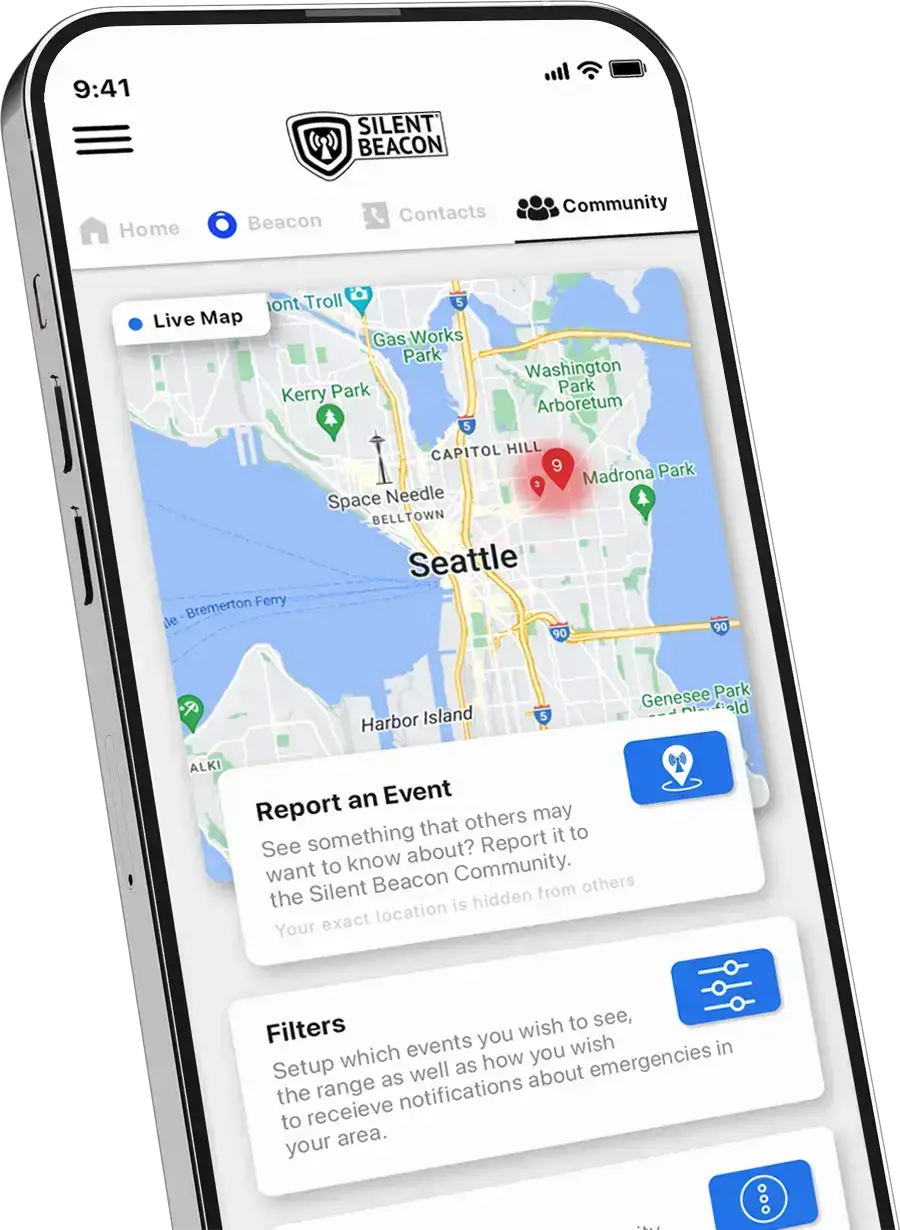
Silent Beacon Application User Guides
Comprehensive guides on how to set up your account, utilize the silent beacon panic button, and navigate the menus and alert modes of both the consumer and business safety applications.
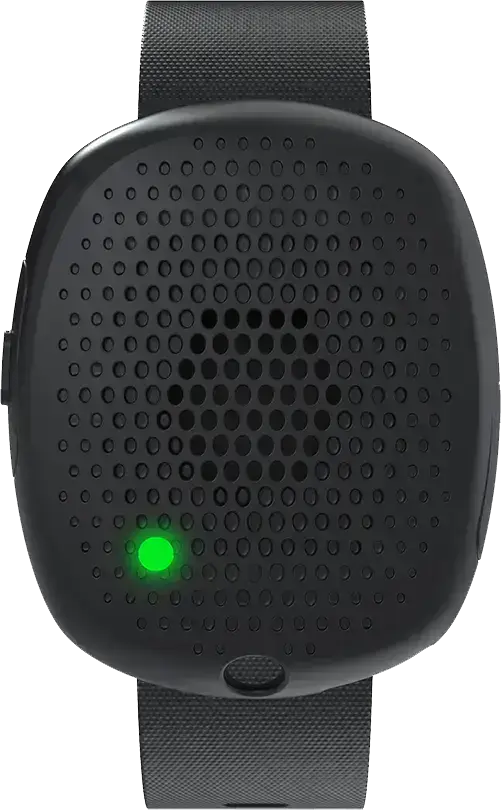
Silent Beacon Panic Button Manual
Comprehensive guide on how to set up your Silent Beacon panic button and navigate the features and various alert modes/
How to Use the Silent Beacon Alert Modes
This informative video goes over the various alert modes that the Silent Beacon is capable of executing, detailing how each mode functions and its specific uses for ensuring safety and communication.
Having an issue with the Beacon?
With tech there can always be issues with connection, engagement and compliance. We go over the most known areas of concerns from our clients and users and we want share possible antidotes here.
Version Control
Review the update notes for our Applications and Panic Button firmware, which include feature enhancements, bug fixes, and security updates in each version.
Online Chat Support for Silent Beacon Devices
If you are unable to find answers on this page please try our AI Chat Support.
Helpful Videos
Playlist
0:16
0:16
0:16
Contact Customer Support
If you are still having trouble with your Silent Beacon device, please fill out our ticket form and someone will get back to you within 24 hours or the next available business day.
Support Hours
Monday-Friday
9:00 am to 6:00 pm EST
Returns / Exchanges
9200 Corporate Blvd., Suite 250
Rockville, MD 20850
Support Numbers
Returns: 888-973-2482
Customer Service: 888-706-4054
Frequently Asked Questions
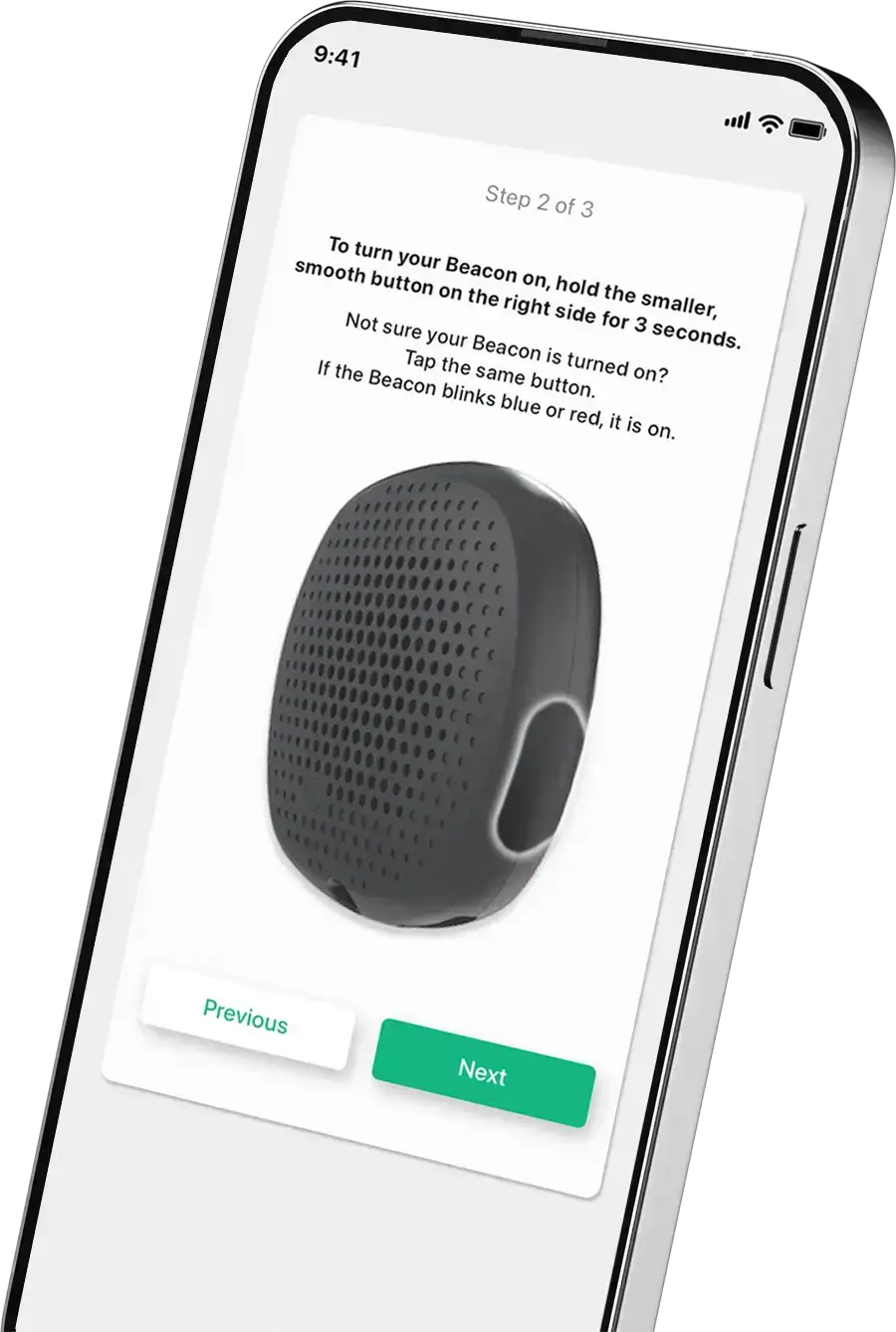
How do I turn my Beacon on?
To check if the Beacon is already on, press the secondary button (the flat, smooth button near the charging port) for 1 second. It should either flash red or blue. If the Beacon flashes blue, it means it is already Bluetooth paired. If it flashes red, it means it is not Bluetooth paired. If it does not flash any lights, press the smooth button for 3-5 seconds. It should flash a blue or red light and make a small buzzing vibration if it is on.
For more detailed instructions, please refer to the Silent Beacon Manual and the App Guide.
How do I adjust my Beacon’s volume?
Activate alert mode on the Beacon by pressing the primary button (the button on the left side of the Beacon with a raised bump). On your phone, press the + volume button until the Beacon’s volume reaches the desired level.
Please do not put your Beacon into emergency alert mode for testing or volume purposes if your emergency contact is 911. This could cause unnecessary alerts.
How do I turn off my Beacon?
Hold down both buttons on the Beacon at the same time for about 10 seconds, or until a purple flashing light appears. When you let go, a chime will play, indicating that the Beacon is off.
For more detailed instructions, please refer to the Silent Beacon Manual and the App Guide.
Can my child use the Silent Beacon?
The Silent Beacon will only function if your child has a smartphone with Bluetooth and a cellular plan.
How do I pair my Beacon?
Make sure your smartphone’s Bluetooth settings are on.
Follow the instructions on the Silent Beacon app’s Beacon page to pair your Beacon.
Follow steps 1-3 that appear on the Beacon page of the app:
- Step 1: Place your Silent Beacon beside this screen.
- Step 2: Make sure your Silent Beacon is turned on.
- Step 3: Tap the blue plus (+) sign below. Ensure the plus sign is spinning.
Wait for a pairing request notification, which can take up to a minute. Once paired, the app should show “Bluetooth paired” and “Calling paired.”
For more detailed instructions, please refer to the Silent Beacon Manual and the App Guide.
How does the Silent Beacon work?
The Silent Beacon device connects to the Silent Beacon app on a user’s smartphone via Bluetooth. Once paired, the device enables calls to an emergency contact using the user’s cellular plan. Additionally, the Beacon is equipped with a built-in speaker and microphone, allowing users to communicate directly through the device in emergency situations. The Beacon must be within a 200-300 foot range of the user’s smartphone to function.
Does the Beacon need a phone nearby?
Yes, the Silent Beacon must be within about a 300-foot range of your smartphone because it relies on Bluetooth to make the call in Emergency Alert Mode.
Additionally, the Beacon requires a smartphone with cellular data and Bluetooth to function properly. The Beacon cannot make calls without cellular data.
Can this be worn as a necklace or around the neck?
Yes! The Silent Beacon device has a hole on it to attach your own keyring and lanyard.
Who is the CEO and Founder of Silent Beacon?
What is the mission / vision of Silent Beacon?
Silent Beacon’s vision is to empower people by providing cutting-edge safety solutions that instill confidence and reassurance, ensuring they can swiftly access help during life’s most critical moments.
Our mission is to elevate safety standards for both individuals and businesses through our reliable emergency response products. We seamlessly blend state-of-the-art technology with a focus on customer needs to deliver innovative safety solutions. Our mission is powerful in its simplicity—saving lives and reducing losses during emergencies while fostering a safer, more interconnected world. We strive to be your first choice for safety and security, providing swift, tailored assistance where and when it’s needed the most.
Where is the company headquartered?
Silent Beacon is conveniently located just outside of Washington DC, specifically in the vibrant city of Rockville, Maryland, which is known for its rich history and dynamic community.
The Silent Beacon headquarters is located at 9200 Corporate Blvd. Suite 250, Rockville, MD 20850.
Who is the VP of Sales at Silent Beacon?
Reach out to josh@silentbeacon.com for sales inquiries.
When was Silent Beacon founded?
Silent Beacon was founded in 2013 by Kenny Kelley with a clear vision—to provide immediate aid to those in need and create a simple, effective way to ensure safety for individuals and their loved ones. Inspired by alarming statistics, showing a violent crime occurs every 26 seconds in the United States, we set out to innovate a personal safety tool that could make a real difference.
When did The Silent Beacon 2.0 panic button come out?
November 17th, 2023.
How many employees work at Silent Beacon?
About 30 employees work at Silent Beacon.
What is Check-In?
Check-In allows you to share your location with others when you feel unsafe or just want people to know where you are going.
To activate it, tap the secondary button (the flat, smooth button near the charging port) 3 times rapidly within 2 seconds.
Note: This is a paid feature. View our subscription plan chart on this page: Silent Beacon Subscription Plans
What is Footsteps?
Footsteps sends a GPS map of your location to let people know where you are and that you are okay.
To activate it, hold down the smooth button (the flat, smooth button near the charging port) for 3 seconds.
Note: This is a paid feature. View our subscription plan chart on this page: Silent Beacon Subscription Plans
What is Beacon to Beacon?
Footsteps sends a GPS map of your location to let people know where you are and that you are okay.
To activate it, hold down the smooth button (the flat, smooth button near the charging port) for 3 seconds.
Note: This is a paid feature. View our subscription plan chart on this page: Silent Beacon Subscription Plans
What is Beacon to Beacon?
Beacon to Beacon enables your emergency contact to receive alerts on their Beacon from your Beacon if you are in Emergency Alert Mode. When you put your Beacon in emergency alert mode, their Beacon will flash yellow and red, indicating to them that you are having an emergency.
Note: The emergency contact must have their own Silent Beacon device.
Note: This is a paid feature. View our subscription plan chart on this page: Silent Beacon Subscription Plans
How do I add an emergency contact?
Emergency Calling is limited to one contact only. If you have multiple contacts listed, only one of them can be set to receive a phone call when you activate Emergency Alert Mode.
To resolve this, you can:
- Go to the contacts page in your Silent Beacon app.
- Choose the contact you want to enable for Emergency Calling.
- Make sure the toggle switch for Emergency Calling is turned on for that contact.
- If you need to update which contact is set for Emergency Calling, you may need to turn off the feature for the others.
Why does my emergency contact say "offline"?
If your emergency contact is marked as offline, it means they are not currently logged into the app. This is only relevant if your emergency contact is also a Beacon user.
They will still receive a call even if listed as offline.
What are Low Battery Alerts?
<p>Low Battery Alerts notify your contacts when your Beacon’s battery is low.<br />Note: This is a paid feature. View our subscription plan chart on this page: <a href=”https://silentbeacon.com/mobile-safety-applications-and-panic-button/”>Silent Beacon Subscription Plans</a></p>
Does this have a monthly fee?
<p>Our Silent Beacon device does not have a monthly fee unless you choose to sign up for one of our optional subscription plans.<br />View our subscription plan chart on this page: <a href=”https://silentbeacon.com/mobile-safety-applications-and-panic-button/”>Silent Beacon Subscription Plans</a></p>
How accurate is the GPS location?
The GPS location is reliant on your smartphone. The emergency contact will receive a text message stating there is an emergency, along with a link to your GPS location.
Does this have fall detection?
No, the Silent Beacon device does not have fall detection.
How do I turn off the flashing red light on my Beacon?
Navigate to the Home page within the Silent Beacon app and select the red rectangle at the bottom of the screen that says “Emergency Alert Activated.” You will be prompted to enter your 4-digit PIN. You must complete this step every time you activate emergency alert mode.
For more detailed instructions, please refer to the Silent Beacon Manual and the App Guide.