How to Stay Safe When Alone: Smart Safety Tips for Solo Travelers, Remote Workers, and Everyday Adventures

Traveling solo. Working remotely from somewhere new. Exploring a city on your own. Heading to a concert or festival. Taking a weekend hike to clear your head.
Doing things alone can be one of life’s greatest freedoms.
The key to enjoying that freedom isn’t worrying about what might happen. It’s having a few smart habits and a plan if something does.
Staying safe when you’re alone isn’t about fear. It’s about confidence. At Silent Beacon, we believe personal safety should help people live with more confidence, not more worry. When you know you’ve prepared for the unexpected, you’re free to focus on the experience itself.
Key Takeaways
- Stay aware of your surroundings without becoming fearful.
- Let someone know where you’re going and when you’ll return.
- Keep communication tools charged and ready.
- Trust your instincts when something feels wrong.
- Make sure you can reach help quickly if needed.
- Small safety habits create more freedom and confidence.
- Have your keys or ride details ready before you walk to the car or pickup spot.
Start With Awareness, Not Anxiety
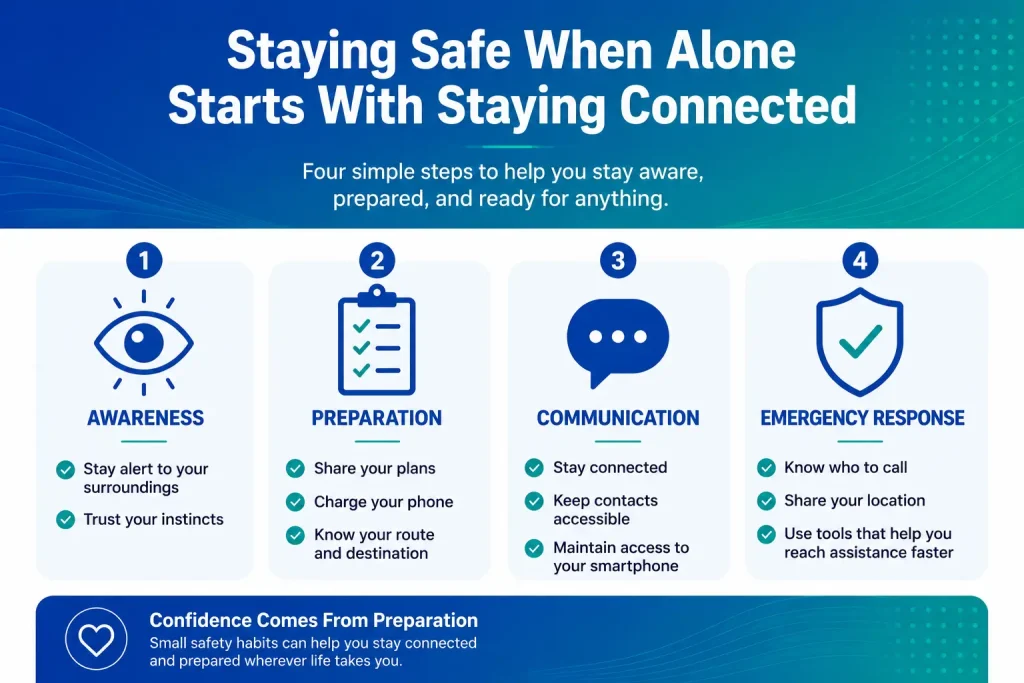
The foundation of personal safety is simple awareness.
Whenever you’re in a new environment, take a few minutes to understand what’s around you.
- Learn the routes you’ll use most often.
- Identify well-lit public areas.
- Know where to find help if needed.
- Keep emergency contacts accessible.
- Trust your instincts if something feels off.
Awareness isn’t about expecting problems. It’s about giving yourself options if circumstances change.
Transition point: have a plan and a fast way to call for help
If You're Traveling Solo
Solo travel is one of the most rewarding ways to experience the world. You set your own schedule, follow your own interests, and build confidence with every trip.
A few habits can make solo travel even safer:
Share Your Itinerary
Before your trip, send a trusted friend or family member:
- Flight information
- Hotel or accommodation details
- Major travel plans
- Expected arrival times
You don’t need to provide constant updates, but someone should know your general plans.
Plan Your Arrival
Many travel challenges happen during transitions.
Before arriving:
- Save your hotel address offline.
- Research transportation options.
- Know how you’ll get from the airport or station to your accommodation.
- Have backup transportation options in mind.
Stay Connected
Whether you’re exploring a new city, heading back to your hotel after dinner, or walking through an unfamiliar area, staying connected adds peace of mind.
Simple check-ins, location sharing with trusted contacts, and keeping your phone charged can make a big difference.
Getting to Your Car or Ride
- Have your keys or rideshare details ready before you start walking.
- Confirm the license plate and the driver before you get in, and share your trip status with a friend.
- If you’re walking, stick to lit, populated routes, even if they’re a little longer.
Trust Your Instincts
- Changing your plans
- Taking a different route
- Declining an invitation
- Moving to a public place
- Asking for help
At Events, Festivals and Nights Out
Concerts, fireworks, festivals and busy patios mean big crowds, unfamiliar parking and late nights. A few defaults go a long way:
- Keep one hand free. Juggling bags, a drink and a phone makes you slower to react and easier to distract.
- Pick a meetup spot with whoever you came with, in case you get separated and signal is spotty in the crowd.
- Bring a battery pack for long days at events or theme parks.
- Plan the trip home before you go, especially if it’ll be after dark.
- Trust the small voice. If something feels off, you can leave, change seats or step into a busy store.
Bags, drink and phone slow you down.
For when you get separated and signal drops.
Long days drain phones fast.
Decide before you go, not at midnight.
If You're Working Remotely
Remote work has given people the freedom to work from almost anywhere.
Coffee shops, coworking spaces, rental properties, and extended workcations can be exciting, but they also mean spending more time alone in unfamiliar environments.
A few simple practices help:
- Let someone know where you’ll be working if you’re in a new location
- Keep your devices charged
- Avoid isolated work locations late at night
- Be intentional about how you’ll get home after dark
- Maintain a regular check-in rhythm with friends or family
Remote work often blurs the line between professional and personal time. Your safety plan should follow you through both.
If You're Hiking or Exploring Outdoors
Spending time outdoors is one of the best ways to recharge.
Whether you’re taking a short day hike or exploring a new park, preparation matters.
- Tell someone where you’re going.
- Share your expected return time.
- Check weather conditions before you leave.
- Carry water and essential supplies.
- Keep communication tools accessible.
When you’re carrying a backpack, using trekking poles, or navigating uneven terrain, reaching for your phone may not always be practical. Having a fast way to call for help can be valuable if an emergency occurs.
Why Your Phone Isn't Always Fast Enough
Most people think of their phone as their primary safety tool.
And in many situations, it is.
But emergencies don’t always happen when your phone is already in your hand.
Your phone might be:
- In a backpack
- In a purse
- Charging across the room
- Buried in a pocket
- Difficult to access quickly
The ability to reach help quickly often matters just as much as having a phone available.
Where Silent Beacon Fits
The Silent Beacon 2.0 wearable panic button is designed to work alongside your smartphone, giving you a faster way to reach help when seconds matter.
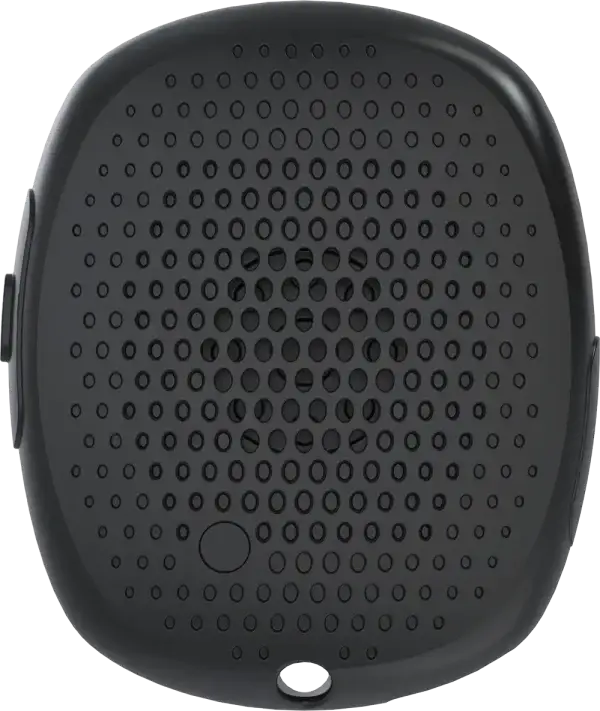
Features include:
- One-Button Press Emergency Activation: A single press can place a call and send emergency alerts without requiring you to unlock your phone or navigate an app.
- GPS Location Sharing During Alerts: Your designated contacts can receive your GPS location when an alert is activated.
- Hands-Free Communication: The built-in speaker and microphone allow you to communicate through the wearable itself.
- Multi-Channel Emergency Alerts: Alerts can be sent through text messages, emails, push notifications, and phone calls to the contacts you choose.
- Bluetooth® Connectivity: Silent Beacon pairs with your smartphone and uses the phone’s existing connectivity. No separate cellular plan is required.
The goal isn’t to replace your phone. It’s to make getting help faster and easier when you need it.
For moments when a loud response is what you want, the Silent Beacon Siren personal safety alarm adds a 135 dB siren and flashing LED to draw attention fast. It needs no phone, app or connection, so it’s an easy extra layer for parking lots, late walks and travel.

Freedom with a Backup Plan
The best adventures happen when you’re confident enough to enjoy them.
A little preparation, a few smart habits, and the right tools can help you focus less on what could go wrong and more on where you’re going next.
Whether you’re traveling solo, working remotely, exploring a new city, or enjoying time outdoors, confidence comes from knowing you’re prepared.
Frequently Asked Questions.
What is the best way to stay safe when you are alone?
Combine a few habits with the right tools: know your environment, share your plans with someone you trust, trust your instincts, and keep a fast, single-press way to call for help within reach rather than buried in a bag.
Is solo travel safe?
Yes. Millions of people travel alone every year. Preparation, awareness, and staying connected can help make solo travel a safe and rewarding experience.
Does Silent Beacon work without a smartphone?
No. Silent Beacon 2.0 pairs with a smartphone via Bluetooth and uses the phone’s connectivity to place calls and send alerts.
Why use a wearable safety device instead of only relying on a phone?
A wearable safety device can be activated with a single button press and provides hands-free communication, making it easier to reach help when accessing a phone may not be practical.
Does Silent Beacon require its own cellular plan?
No. Silent Beacon connects to your smartphone via Bluetooth and uses your phone’s existing connection.
Is a wearable panic button obvious or bulky?
No. It’s a small button you can wear discreetly on a lanyard, clip to a bag or keep on a keychain, so it blends into what you already carry.
Can my family use it too?
Yes. Many people set one up for themselves and for family members, like a teen heading to concerts or an older parent who is out and about, so everyone has a simple way to call for help.
Be Ready When Seconds Matter
Whether you’re traveling solo, working remotely, or spending time outdoors, Silent Beacon helps you call for help, share your location, and alert your trusted contacts with the press of a button.