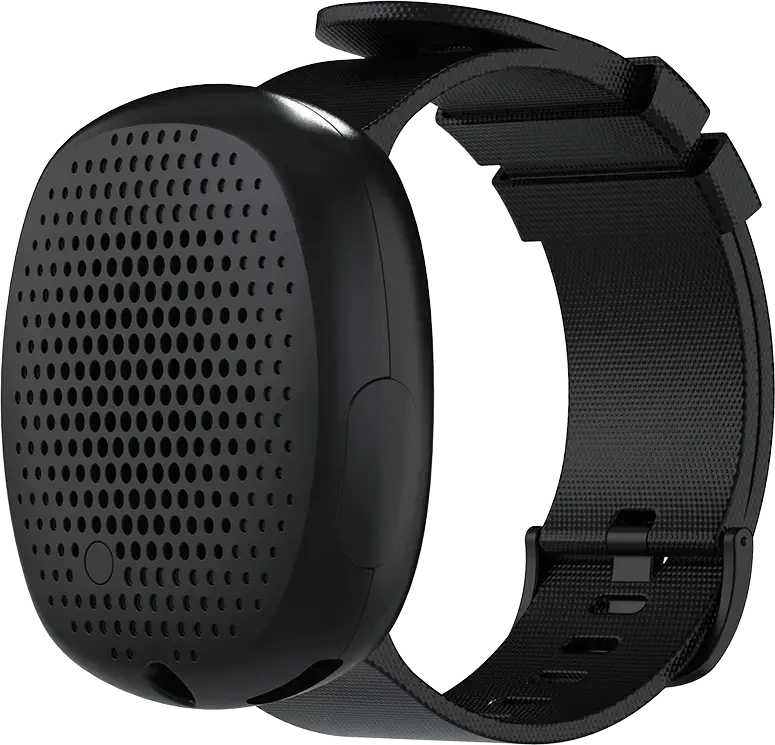
The Wearable Panic Button for Businesses That Calls 911
Redesigned from the top down to better serve the diverse needs and expectations of our clients, the Silent Beacon 2.0 is a wearable panic button for businesses that delivers a more tailored and user-focused experience across every industry. Whether you need to protect travel nurses in the field, office workers in government, or retail employees in a store, our business panic button solutions ensure fast, reliable access to help when it’s needed most.
-
Water Resistant
-
Two-Way Speakerphone
-
42-Day Battery Life
-
Five Alert Modes
The Silent Beacon business panic button allows your employees to quickly connect with supervisors, coworkers, or emergency services in a crisis with just a press of the button. With two US patents, the Silent Beacon links to our safety app, giving your team the power to alert coworkers or emergency responders during an emergency. The Silent Beacon is a Bluetooth-enabled wearable panic button for businesses, lone workers, and field teams that can call directly to 911.


Alert Modes
Emergency Alert Mode
Make an emergency phone call to any number you choose while simultaneously sending alert messages to your selected contacts with our business panic button’s emergency alert notification system.
Calls your emergency phone number
Initiates a phone call through the Beacon to your pre-stored emergency contacts.
Sends alerts with your GPS location
Sends an alert message via text, email, and push notification to your emergency contacts.
Alerts other Beacons
Notifies other Beacons on your emergency contact list.
Silent Mode
In situations where an employee needs to discreetly seek help, they can send a silent emergency alert that conceals its activation with Silent Mode. They can do this directly from the Beacon or the app.
Silences the speaker
Disables the speaker while still allowing the microphone to listen.
Switches off the LED
Turns off the indicator light so there is no visible sign the panic button was activated.
Performs all tasks of Emergency Mode
Your call is still active and alerts will still go out like in Emergency Mode.



Footsteps
Let employees share their location with their emergency contacts and supervisors.
Share your location
Similar to Emergency Mode, share your location in real-time so others can see where you are.
Find Directions
Display your complete address and ensure that others can easily find directions to your location with minimal effort.
Footsteps Pro*
Unlock additional paid features that will place a phone call to our 24/7 monitoring services to talk with you until you feel safe while in footsteps mode.
*Footsteps Pro is an additional subscription service available to business clients utilizing our Enterprise Safety Solutions.
Check-In
Our non-emergency alert mode lets employees share a fixed location and a personalized message with their contacts.
Custom Messaging
Sends a custom message when an employee arrives at a client visit, a job site, or the office.
Share Location
Shares a static image of their location so supervisors can see that they have arrived at their destination safely.


Low Battery Mode
Receive notifications when a Silent Beacon business panic button falls below 10% battery life.
Notify your contacts
Customize who you want to receive this alert notification.
Set notifications for yourself
You can receive a text and email reminder to charge your Beacon, in addition to the Beacon blinking orange every 5 minutes.
Beacon to Beacon Alerts

When an employee sends an emergency alert from their Silent Beacon safety device, coworkers who have them as an emergency contact will get a notification on their own Beacon. This alert shows that a team member is in an emergency with a vibration and a yellow blinking light.


Notifications
Send a Variety of Notifications


Utilize our emergency alert notification system to promptly inform your team when an employee is in an emergency. We send alerts through phone calls, push notifications, emails, and text messages, all tailored to your organization’s preferences.
Push Notifications
Push notifications are messages sent to a user’s device, even when they are not using it. They can show up on a mobile device’s home screen, lock screen, or notification center.
Emails
Emails are a good backup in case we miss text messages and phone calls. Receive an alert message along with a map showcasing their current GPS location.
Text Messages
Sending text messages to several people at once helps ensure more people see your message, leading to quicker replies and better communication within your team.
Choose Your Team’s Style Color Fit
We have your team covered!
Multiple color wristbands, accessory kits and more.
In the Box
Included With Every Business Panic Button

Accessory Clip
Utilize the accessory clip to securely connect the Beacon to a uniform, a lanyard, a belt, or other items your employees carry throughout the workday.

Black Silicon Wristband
Comes with our versatile and universal 18mm connector wristband. We designed this wristband to be universal so that your team can select any band and material they prefer, allowing for a customized fit that stays comfortable through a full shift.

USB-C Charging Cord
A 3-foot USB charger provides the convenience of quickly charging and connecting your Silent Beacon wherever a USB port is available, whether at the office, in a vehicle, or in the field.
Equip Your Team With the Silent Beacon Business Panic Button
Volume pricing and Control Center access for your organization.